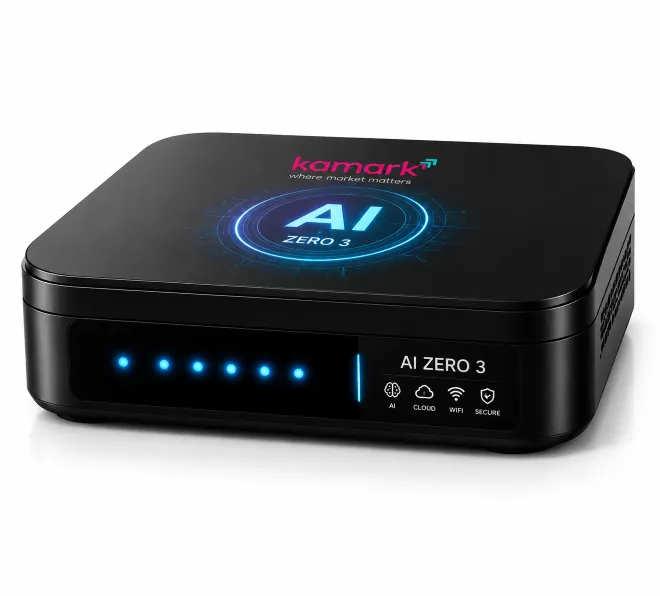
What is a POS machine?
A point-of-sale (POS) machine helps a business record sales, create bills, accept supported payments, and manage related checkout tasks.
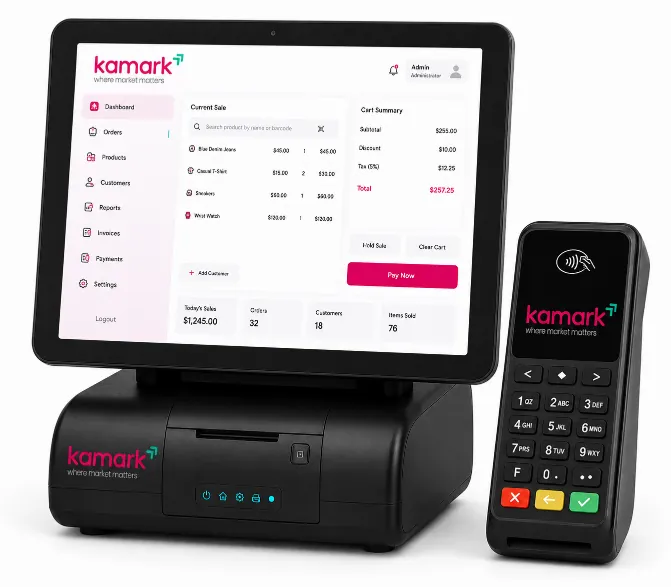
Kamark POS Machine is an all-in-one billing and payment solution designed for retail stores, restaurants, supermarkets, pharmacies, and businesses. Manage sales, inventory, customer billing, and digital payments from one point of sale. Staff can record purchases, apply the configured billing workflow and offer supported payment methods at checkout. Product setup can be tailored to the business, its inventory process and the reports its team needs. A clear point of sale process can help staff handle everyday purchases, returns and customer questions consistently. Retailers can organise items for checkout, while cafes and restaurants can use a workflow suited to their ordering and payment process. Before selecting a POS configuration, consider the number of checkout counters, the devices staff use, the payment methods customers prefer and the information owners need to review at the end of a shift.
Create and process customer bills through a straightforward checkout workflow. A consistent process helps staff confirm items, review the total and complete each sale accurately.
Keep product quantities organised and review stock as sales are recorded. Current inventory information can help teams plan replenishment and spot products that need attention.
Offer supported UPI, card and wallet payment methods at checkout. Available options depend on the payment hardware, service provider and setup selected for the business.
Review sales summaries to understand daily and monthly business activity. Reports can help owners compare periods, follow transaction patterns and plan routine operations.
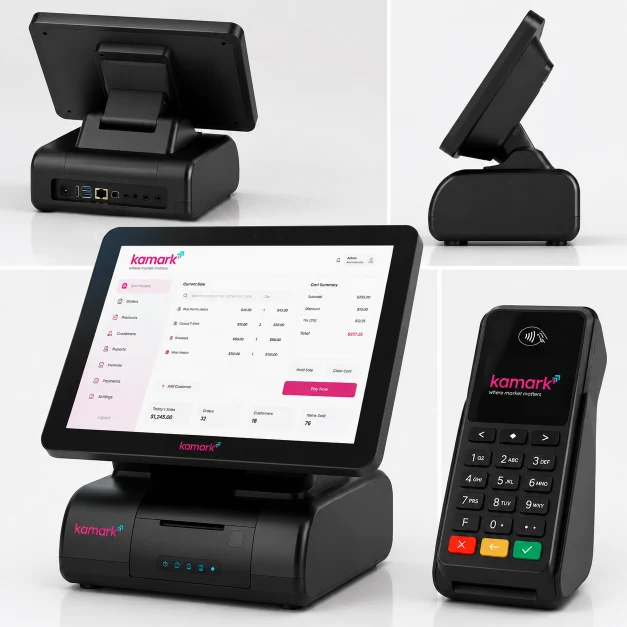
Kamark POS Machine helps businesses simplify billing, monitor inventory, manage customers, generate GST invoices, and accept digital payments. Bringing these day-to-day tasks together can help staff keep checkout moving while giving owners a clearer view of sales, stock movement and customer transactions. The specific billing and reporting options depend on the selected configuration. Businesses can consider how products are added to bills, how discounts or taxes are handled, and which details should appear on a customer receipt. A well-planned setup also considers staff permissions, the process for correcting an entry and how transactions are reviewed at closing time. These practical choices help the POS workflow reflect the way each store operates, rather than forcing every team to follow the same process.
A consistent billing flow helps staff complete purchases efficiently and reduce unnecessary checkout delays. Clear item and total details also make it easier to review a sale with the customer before payment.
Review sales summaries to understand transaction activity and support routine business decisions. Owners can use the available reports as one input when planning stock, staffing and business hours.
Monitor product quantities and identify items that may need replenishment before they run out. Regular stock checks can help teams maintain availability for commonly purchased products.
Give customers a choice of supported payment options, including cash, cards, QR and UPI. Confirm payment method availability with the selected POS and payment service configuration.
Discover our complete range of smart digital solutions.
A point-of-sale (POS) machine helps a business record sales, create bills, accept supported payments, and manage related checkout tasks.
Kamark POS solutions are presented for retail stores, restaurants, cafes, pharmacies, supermarkets, and other service businesses.
The POS solution includes inventory management features to help businesses organise stock and review product quantities alongside recorded sales.
The page lists UPI and card payments. Confirm available payment methods with the selected POS and payment service configuration.
Contact Kamark with your business type, checkout requirements, and preferred payment methods to discuss configuration, current pricing, or a product demonstration.
Discuss billing, inventory, and payment requirements with Kamark to find a POS setup that fits your checkout workflow.