Guided Self-Service
On-screen prompts can guide visitors through supported registration, information, payment, or ticketing tasks.
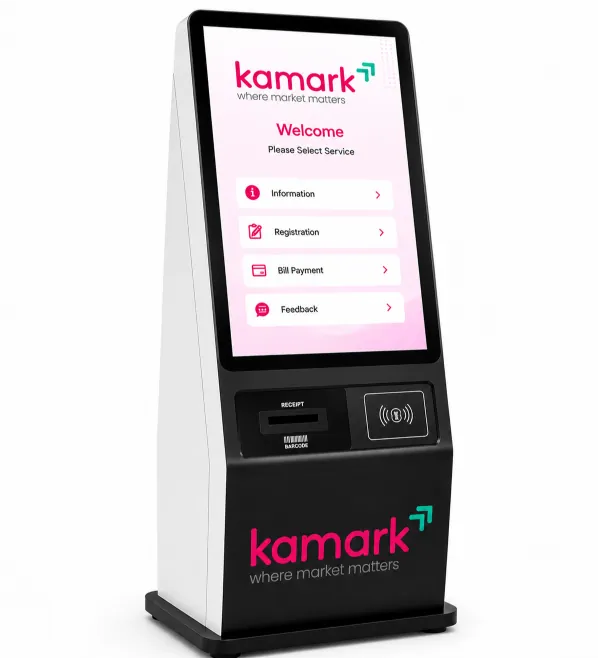
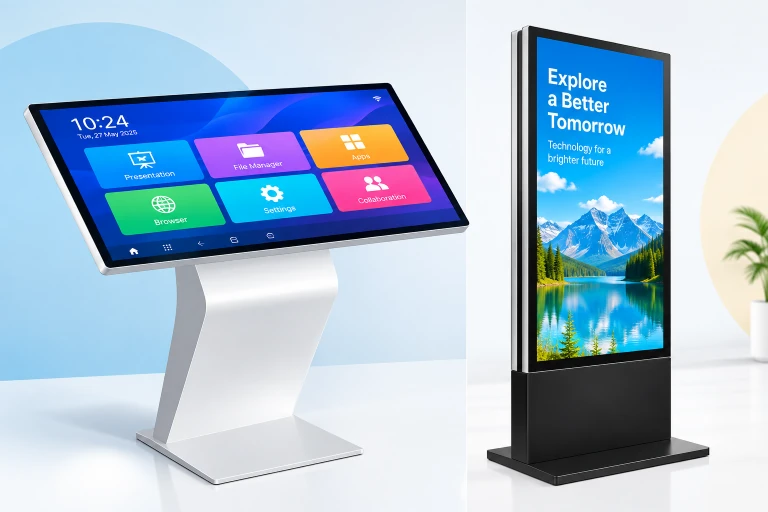
Kamark Kiosk Machine is a smart self-service terminal designed for ticket booking, payment collection, customer registration, information display, visitor management, and digital transactions. Visitors can follow on-screen prompts to complete routine tasks without waiting for staff, while teams can use the kiosk to guide check-in, enquiries or payment journeys. The exact workflow, peripherals and software can be selected to suit the location, service process and accessibility requirements. Common deployments include visitor registration, self-service payments and information lookup. Before choosing a configuration, consider who will use the terminal, where it will be installed, the tasks visitors need to complete and whether staff assistance is available nearby.
An HD touch interface gives visitors clear on-screen prompts for completing common self-service tasks.
Offer supported card, UPI and other digital payment methods as part of the configured checkout workflow.
Print a transaction receipt when a paper confirmation is useful for customers or staff.
Scan supported barcodes or QR codes to retrieve information or continue a configured visitor workflow.
Verification steps can be configured for visitor registration and identity workflows where applicable.
Connected management tools can help teams review kiosk status and coordinate routine operations remotely.
Device access and software controls can be configured to support responsible operation in shared spaces.
Designed for regular self-service use, with operating hours and maintenance planned for each site.
Kiosk configurations can include a touch display, payment options, scanning and printing peripherals, and software for customer-facing tasks. Select the screen size, components and workflow to match the service being offered and the environment where the kiosk will operate. A reception kiosk may prioritise visitor check-in, while a retail or service counter may need product information, ticketing or payment steps. The installation plan should also account for network access, power, screen visibility and the placement of any scanner or printer. Confirm hardware and software compatibility for the intended workflow before finalising a deployment.
| Size | 32 / 43 / 55 / 65 / 75" |
|---|---|
| Resolution | HD / 4K |
| Brightness | 400 cd/m² |
| Contrast Ratio | 4500:1 |
| Display Color | 1.07B (10-bit) |
| Backlight | LED |
| Audio Speakers | 2 × 10W |
| Working Life | >50000 hours |
| Touch Technology | IR / Capacitive Touch |
|---|---|
| Writing Method | Finger, pen or any opaque object |
| Response Time | 5 ms |
| Touch Points | 10 points |
| Touch Resolution | 32768 × 32768 |
| Touch Accuracy | ±1.5 mm |
| Android | 12.0 / 14.0 |
|---|---|
| CPU |
Cortex A76 + A55
Quad Core / Octa Core |
| GPU | Mali G52 600 MHz |
| RAM | 4 GB |
| Memory | 64 GB |
| Power Input |
AC 100–240V
50/60Hz |
|---|---|
| Working Consumption | ≤115W |
| Standby Consumption | 0.5W |
| AC Input | ×1 |
|---|---|
| USB 2.0 Input | ×2 |
| RJ45 Input | ×1 |
| Power Switch | ×1 |
| WiFi Antenna | ×1 |
Plan a self-service experience around your visitors, location, and day-to-day service process.
On-screen prompts can guide visitors through supported registration, information, payment, or ticketing tasks.
Select the kiosk workflow and software to suit the tasks visitors need to complete at your location.
Discuss supported peripherals such as a QR scanner, card payment reader, or thermal printer for your selected setup.
Consider kiosk deployments for visitor management, customer registration, information lookup, ticketing, and payments.
Explore related Kamark solutions for workforce management, tracking, automated retail and edge computing. Each product supports a different operational need and can be considered alongside a self-service kiosk when planning a connected customer or employee experience.
A self-service kiosk is a touchscreen terminal that lets visitors complete supported tasks such as registration, information lookup, ticketing, or payment.
Kiosk machines can be configured for visitor management, customer registration, information display, ticketing, and payment workflows in suitable business or institutional locations.
The listed kiosk highlights include a QR scanner, card payment, and thermal printer. Peripheral availability depends on the selected configuration.
The workflow, peripherals, and software can be selected to suit the location and service process. Discuss your requirements with Kamark to confirm the available configuration.
Contact Kamark with the tasks visitors need to complete, installation location, and required peripherals to discuss configuration, current pricing, or a demonstration.
Contact Kamark to discuss how a self-service kiosk could fit your visitor, payment or information workflow. Share the intended location, tasks and preferred peripherals so the team can help you review a suitable configuration and arrange a product demonstration. It is useful to outline expected visitor volumes, operating hours and any existing booking or payment process. This helps identify which steps should be self-service and which may still require staff support. Kamark can then discuss the available options for your site and the next steps for evaluating a kiosk solution.